Arizona Digital Fishing License Requirements
Oh, the sheer frustration of getting ready for a fantastic day of fishing, only to realize you’ve either forgotten your physical fishing license at home or, worse, misplaced it entirely! It's a classic angler's dilemma that can quickly turn a hopeful outing into a disheartening drive back. Thankfully, Arizona has embraced technology, offering a digital fishing license option that frees you from the tyranny of paper. This guide is here to walk you through everything you need to know about Arizona's digital fishing license requirements, ensuring you're always legal and ready to cast your line.
The Convenience of Arizona's Digital Fishing License
Let's be honest, in today's world, our phones are practically extensions of ourselves. We use them for navigation, banking, communicating, and now, for proving we're licensed to fish. The Arizona Game and Fish Department (AZGFD) understands this modern reality, offering a digital solution that dramatically simplifies the process of carrying and presenting your fishing license. It's a game-changer for anyone who has ever fumbled for a crumpled paper license or worried about it getting wet.
What Exactly is a Digital License?
At its heart, an Arizona digital fishing license is simply the electronic version of your official state fishing license. Instead of a small card printed on paper, it's a verifiable document displayed on your smartphone or another mobile device. Think of it like your digital boarding pass for a flight or your car insurance card that many providers now allow you to show on your phone. It holds all the same legal weight as a physical license, provided it's presented correctly.
The big appeal here is the freedom from physical constraints. No more worrying about a license falling out of your wallet when you're wading in a stream or getting soaked in an unexpected rain shower. It's always with you, as long as your phone is charged and in working order. This shift aligns perfectly with the modern angler's lifestyle, making it incredibly easy to stay compliant with Arizona Fishing Regulations Explained. Plus, it's a small step towards reducing paper waste, which is always a bonus for the environment we all love and enjoy.
How to Access Your Digital License
Getting your digital license onto your phone is straightforward. The AZGFD has made it pretty user-friendly, which is a huge relief for those of us who aren't always the most tech-savvy. The primary way to access and display your digital license is through the official AZGFD online portal and, even better, through their dedicated mobile application.
First, you'll need to purchase your license, which you can do directly through the Arizona Game and Fish Department's website. If you're looking for detailed steps, our guide on How to Buy an Arizona Fishing License Online can walk you through the entire process. Once purchased, your license information is stored in their system, accessible via your "My AZGFD" portal. From here, you can typically view, save, or print your license.
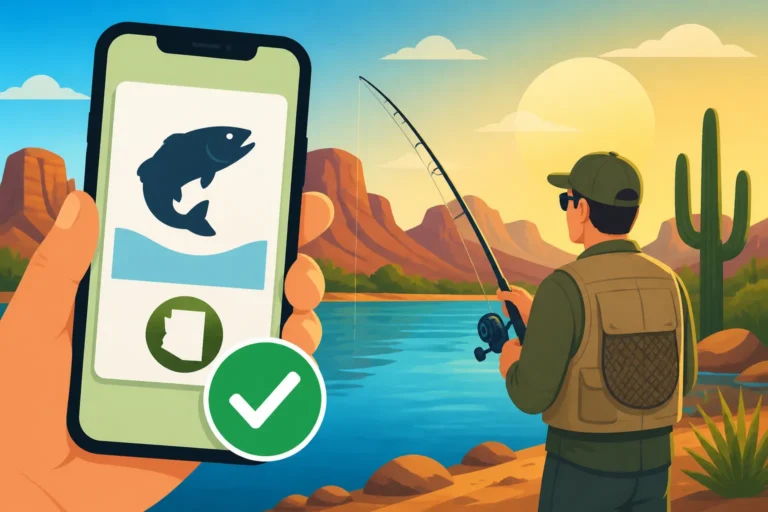
The real magic for digital display, however, comes with the AZGFD Outdoors Arizona app. This application, available for both iOS and Android devices, is designed specifically for anglers and hunters in Arizona. Once you download the app and log in with your AZGFD customer ID, your purchased licenses will automatically populate within the app. You can then pull up your active fishing license directly on your phone screen to present to a game warden or other authorized official. It’s quick, efficient, and means your license is literally just a few taps away, making it incredibly convenient whether you're out on the Colorado River Fishing Guide in Arizona or a local community lake.
Meeting Requirements: When a Digital License is Enough (and When It Isn't)
While the digital license is a fantastic convenience, it's crucial to understand the nuances of its acceptance. The Arizona Game and Fish Department has clear guidelines on what constitutes a valid digital presentation. Knowing these details can save you from an awkward encounter or, worse, a citation.
Official Digital Display Requirements
When a game warden approaches you on the water or at a fishing access point, they will expect to see proof of your valid fishing license. With a digital license, this means clearly displaying it on a functional electronic device. The key here is "functional" and "clear."
Your digital license must be legible. This means your phone screen shouldn't be cracked, too dim, or have a glare that prevents the warden from easily reading the information, including your name, license number, and expiration date. The expectation is that you can quickly navigate to and present the license within the AZGFD Outdoors Arizona app or a saved PDF on your device. It’s also important that the device can stay on long enough for the warden to verify the information. They’re not going to wait around for your phone to charge or for you to troubleshoot a frozen screen.
Remember, the responsibility to present a valid and readable license falls squarely on your shoulders. If your phone dies, if you can't get a signal to pull it up from a website, or if your screen is shattered beyond recognition, it essentially means you cannot produce your license, which can lead to penalties similar to fishing without one.
When a Physical Copy Might Still Be Handy
Despite the undeniable convenience of digital licenses, there are still scenarios where having a good old-fashioned paper copy can be a lifesaver. It’s all about being prepared for the unpredictable nature of the outdoors and technology.
- No Cell Service: Arizona is vast and beautiful, but that beauty often comes with spotty to non-existent cell service, especially in remote areas like some parts of the White Mountains Fishing Lakes in Arizona or certain stretches of the Mogollon Rim. If you're relying solely on an online portal or an app that requires an internet connection to sync or load, you could be out of luck. A printed license doesn't need bars of service.
- Battery Life Concerns: We've all been there – a long day on the water, taking photos of your catches, using your fish finder app, and suddenly, your phone battery is critically low. Without a backup power source, your digital license becomes inaccessible.
- Device Damage: Accidents happen. Dropping your phone in the water or cracking the screen on a rock can render your device (and your digital license) unusable.
- For Others Without Devices: If you're bringing a child who might be just under the Fishing License Age Requirements in Arizona but wants to be prepared, or an older family member who prefers traditional methods, a printed copy makes sense.
- Cross-State/Tribal Land Fishing: While your Arizona state license covers most public waters, fishing on tribal lands like the San Carlos Apache Reservation or the Navajo Nation often requires a separate tribal permit. Our guide on Tribal Land Fishing Permits in Arizona dives into these specifics, but these permits are almost always physical and must be carried separately.
Consider these situations carefully, especially for extended trips or for exploring less-trafficked fishing spots. A printed copy is a foolproof backup that doesn't rely on technology.
Combining Digital Convenience with Backup Solutions
The smartest approach for any Arizona angler is to embrace the best of both worlds. Leverage the fantastic convenience of your digital license while still having a reliable backup.
Here’s how you can make it work:
- Always have it on your phone: Make sure your current digital fishing license is saved as a PDF directly to your device (not just accessible via a website that needs internet) or visible in the AZGFD Outdoors Arizona app.
- Carry a printed copy: Print out an extra copy of your license and keep it in a waterproof baggie in your tackle box, glove compartment, or fishing vest. This is your ultimate failsafe. You can even find small, portable printers on Amazon that could be handy for printing things on the go, though a simple home printer works just fine for this.
- Email it to yourself: Send a copy of your license PDF to your email address. If you lose your phone but can access email from another device, you can still retrieve it.
- Invest in a portable charger: For those long days out on the lake or river, a fully charged portable power bank for your phone is an absolute must. You can easily pick up a reliable portable charger on Amazon that will keep your device juiced up and your license accessible.
This dual-approach ensures that you're prepared for any eventuality, allowing you to focus on the joy of fishing rather than worrying about regulatory compliance.
Getting and Managing Your Digital Arizona Fishing License
The process of acquiring and managing your digital fishing license is designed to be as seamless as possible, reflecting the AZGFD's efforts to modernize and simplify access for anglers. Understanding the steps involved will help you stay on top of your licensing needs throughout the year.
Purchasing and Renewing Your License Online
The primary way to get your Arizona fishing license, whether you plan to use it digitally or print it out, is through the Arizona Game and Fish Department's official website. This is your central hub for all things licensing.
Here's a quick rundown of the process:
- Visit the AZGFD Website: Navigate to the Arizona Game and Fish Department's licensing portal.
- Create or Log In to Your Account: If you’re a new user, you’ll need to create a customer account. This will assign you a unique customer ID, which is crucial for managing all your licenses and permits. Returning anglers can simply log in with their existing credentials.
- Select Your License: Browse the available license types, which can range from annual resident licenses to short-term nonresident options. Our Arizona Fishing License Types Compared guide offers a detailed look at all the choices. You'll add your desired fishing license to your cart, and perhaps even a Trout Stamp Requirements in Arizona if you plan to fish designated trout waters.
- Complete the Purchase: Follow the prompts to enter your payment information and finalize the transaction. Once approved, your license is immediately active and available in your "My AZGFD" portal.
Renewing your license is just as easy. When your license is nearing its expiration date (you can check your Arizona Fishing License Validity Period for details), the AZGFD often sends email reminders. You simply log back into your "My AZGFD" account, select the license you wish to renew, and proceed with payment. The renewed license will then update in your digital profile and the AZGFD Outdoors Arizona app, seamlessly extending your fishing privileges.
Navigating Digital Records and Proof
Once you have your digital license, you'll want to be comfortable accessing it and understanding what constitutes valid proof. Your "My AZGFD" portal is not just for buying licenses; it's also your personal archive of all your hunting and fishing documents.
When a game warden requests to see your license, you'll open the AZGFD Outdoors Arizona app on your smartphone. Within the app, there's usually a clearly marked section for "Licenses" or "My Licenses." Tapping on this will display your active fishing license, complete with a unique identifying number, your personal details, and the validity dates. The warden will typically cross-reference this information with their own records, often by scanning a barcode or inputting your license number.
It’s a good practice to familiarize yourself with where your license is located within the app before you even head out to the water. A few practice runs can make a big difference in how smoothly you can present your license when asked. Remember, being prepared and organized reflects positively on you as a responsible angler.
Common Questions and Troubleshooting for Digital Licenses
Even with the best intentions and most user-friendly systems, questions and hiccups can arise when dealing with technology in the wild. Let's tackle some of the most common concerns anglers have about their Arizona digital fishing licenses.
What if My Phone Dies?
This is, without a doubt, the number one concern for anyone relying on a digital license, and it's a completely valid one. You're out on Lake Pleasant Arizona Fishing Guide all day, snapping pictures of every catch, checking the weather, and suddenly, that dreaded low battery warning flashes. If your phone dies and you don't have a backup, you effectively cannot present a valid license.
The solution, as mentioned earlier, is proactive preparation:
- Portable Charger: This is your best friend. A compact power bank, easily found on Amazon or at any electronics store, can fully recharge your phone multiple times. Keep it charged and in your tackle bag.
- Printed Backup: Always, always, always carry a physical printout of your license in a waterproof bag. This is the ultimate safeguard against dead batteries, dropped phones, or areas with no cell service.
- Save as PDF: Even without the app, if you save your license as a PDF directly to your phone's storage, it can still be accessed if your phone is functional but lacks internet connectivity. This is a crucial distinction from relying on a web page.
A game warden may have some discretion, but they are generally obligated to enforce the law. Don't put yourself in a position where you're pleading your case with a dead phone in your hand.
Are There Specific Apps for Arizona Fishing Licenses?
Yes, there is! The official application is the AZGFD Outdoors Arizona app. This is the Arizona Game and Fish Department's dedicated mobile resource for outdoor enthusiasts.
The app is fantastic because it centralizes a lot of useful information beyond just your license:
- Digital License Storage: This is its primary function for our discussion. Once you log in, your valid licenses are displayed and stored, ready for presentation.
- Regulations: You can often access summaries or links to current Arizona Fishing Regulations Explained directly through the app, which is super handy if you have a quick question about bag limits or special restrictions.
- Maps and Information: Some versions of the app might offer access to mapping features or information on stocking schedules, making it a valuable tool for planning your trips to Best Fishing Lakes in Arizona.
Always ensure you download the official app from your device's app store (Apple App Store for iOS or Google Play Store for Android) to guarantee you're getting the legitimate, secure version.
What About Tribal Land Permits and Other Special Regulations?
This is a really important distinction. Your Arizona state fishing license, whether digital or physical, is valid for most public waters managed by the Arizona Game and Fish Department. However, there are significant exceptions.
- Tribal Lands: Many prime fishing locations in Arizona, such as San Carlos Lake, Big Lake, and parts of the Colorado River within tribal boundaries, require a separate fishing permit issued by the respective tribal nation (e.g., San Carlos Apache Tribe, Navajo Nation). These tribal permits are almost always physical documents that you must purchase separately and carry with you. Your state license alone is not sufficient. Our guide on Tribal Land Fishing Permits in Arizona provides more specific details.
- Special Stamps/Validations: Some specific activities or waters might require additional validations, like a trout stamp for designated trout waters. In Arizona, the general fishing license now includes the urban and trout stamp, simplifying things somewhat. However, it's always wise to check the current regulations annually, as rules can change. If a separate stamp were required, its digital display would depend on how it's integrated with your main license or if it’s a separate physical document. For the most part, though, the AZGFD general license covers what was previously the "trout stamp."
The bottom line here is: always double-check the specific requirements for where you plan to fish. Don't assume your state digital license covers everything. When in doubt, call the relevant authority (AZGFD or the specific tribal game and fish department) beforehand.
| Feature | Digital Fishing License (AZGFD App) | Printed Fishing License |
|---|---|---|
| Convenience | Always with your phone, no physical bulk. Instantly accessible via app. | Requires carrying paper, can be easily lost or damaged. |
| Accessibility | Relies on phone battery, screen functionality, and sometimes cell service. | No battery or signal needed. |
| Durability | Safe as long as phone is safe (can be protected with waterproof case). | Prone to tearing, water damage, fading. Requires lamination or a protective holder. |
| Proof of Validity | Acceptable by law enforcement if clearly displayed on device. | Accepted by law enforcement. |
| Purchase/Renewal | Online via AZGFD portal, instantly updates in app. | Online via AZGFD portal, print at home or from a vendor. |
| Backup Potential | Excellent when combined with a portable charger or printed copy. | Is the primary backup for digital methods. |
| Remote Area Use | Potentially problematic with no signal or dead battery. | Fully functional in remote areas. |
This table hopefully clarifies some of the differences and helps you make an informed decision on how to best manage your Arizona fishing license. Ultimately, combining the digital ease with a physical backup is the smartest play for any angler exploring Arizona’s diverse waters.
Disclaimer
The information provided in this guide is intended for general informational purposes only and does not constitute legal advice. While we strive to provide accurate and up-to-date information, fishing regulations and licensing requirements can change. Always consult the official Arizona Game and Fish Department (AZGFD) website or contact them directly for the most current and authoritative information before you go fishing.