Can You Use a Digital Fishing License in Arizona?
It’s a familiar scenario for many Arizona anglers: you’re out on the lake, the fish are biting, and suddenly, you wonder if you remembered your physical fishing license. The anxiety of potentially facing a game warden without proof can really put a damper on your day. Thankfully, the Arizona Game and Fish Department (AZGFD) has moved with the times, and yes, you absolutely can use a digital fishing license in Arizona, bringing a huge sigh of relief to many of us who prefer to keep things simple and electronic. This guide will walk you through everything you need to know about navigating the waters with your digital license.
The Digital Shift: Arizona's Modern Approach to Licensing
The days of fumbling through your wallet for a crumpled paper license are largely behind us. Arizona has embraced technology to make the licensing process more convenient and less stressful for anglers. This shift acknowledges that most people carry smartphones, and having essential documents readily available on those devices just makes sense.
Embracing Convenience for Anglers
Let's be honest, carrying a physical fishing license comes with its own set of challenges. Paper licenses can get wet, torn, or simply forgotten at home. They're one more thing to keep track of, and in the rough and tumble world of fishing, losing track of things is all too common. The move to digital licensing directly addresses these frustrations. The AZGFD understands that anglers want to spend more time fishing and less time worrying about administrative details.
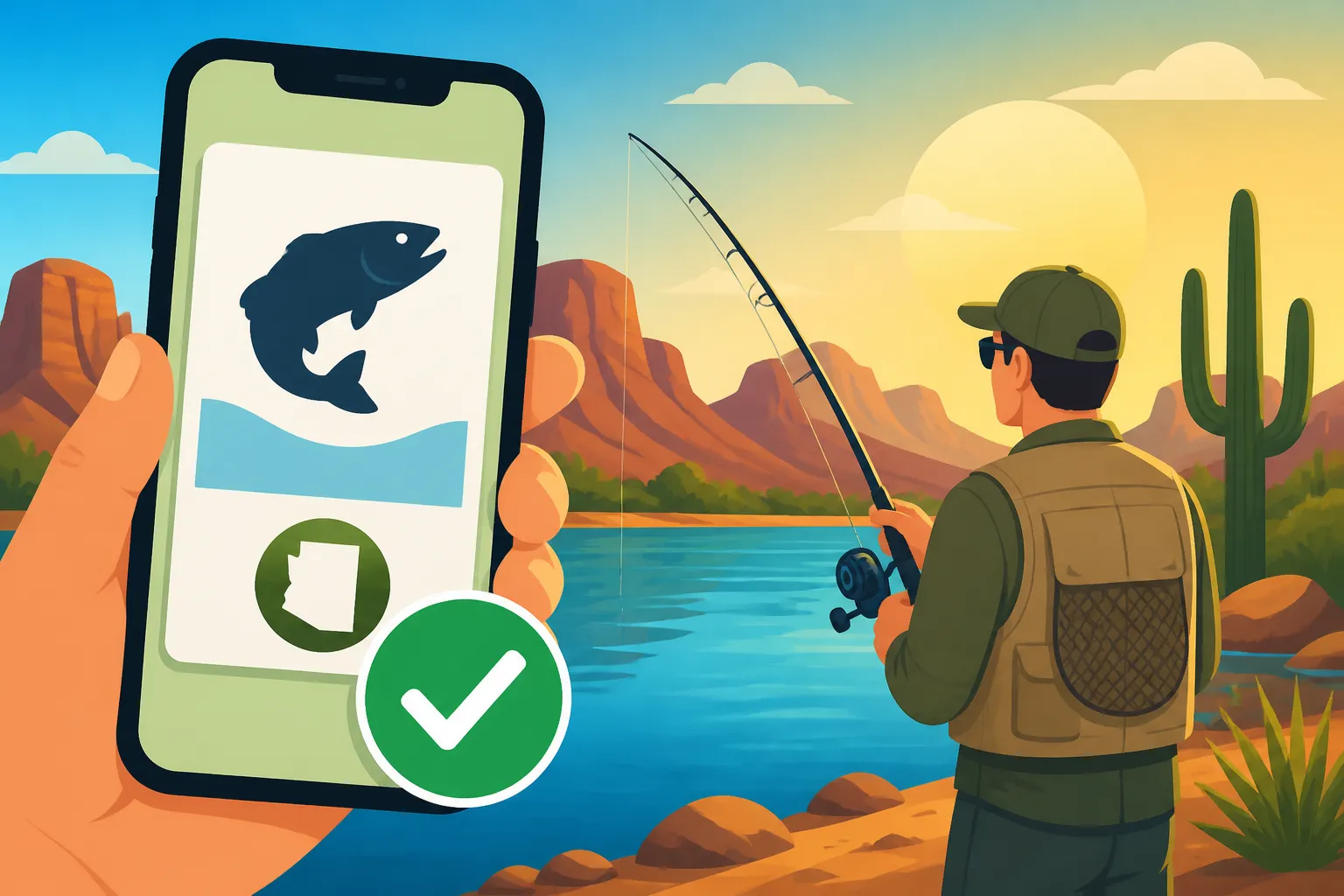
A digital license in Arizona essentially means a legally recognized copy of your official fishing license saved on your electronic device. This isn't just a photo you snapped; it's typically a PDF document that the AZGFD provides directly to you upon purchase. This digital format means that as long as you have your phone or tablet with you, you have your license. It's a huge step forward for convenience, ensuring that your proof of licensure is almost always at your fingertips, much like ordering fishing gear from a trusted online retailer.
Legal Standing and Verification in the Field
One of the biggest questions people have about digital licenses is, "Is it really legal?" The answer is a resounding yes. The Arizona Game and Fish Department officially accepts digital copies of fishing licenses. When a game warden approaches you in the field, they are looking for valid proof that you are licensed to fish in Arizona. Presenting your official digital license on your smartphone or tablet is completely acceptable.
Game and Fish officers are equipped to verify these digital documents. They can often scan a barcode on the digital license or simply visually confirm the details, including your name, license number, and expiration date. It's essentially the same information that would appear on a physical card, just displayed differently. The key is that the information must be clear, legible, and easily accessible on your device. So, no need to panic if you left your paper copy in your other fishing vest! This acceptance is part of a broader effort to modernize how various permits and licenses are handled across the state, ensuring that the rules are clear, as detailed in the comprehensive Arizona Fishing License Guide.
How to Obtain and Use Your Digital Arizona Fishing License
Getting your hands on a digital fishing license is straightforward, primarily thanks to the AZGFD's online portal. The process is designed to be user-friendly, getting you licensed and ready to fish as quickly as possible.
The Online Purchase and Download Process
The most common and convenient way to get an Arizona fishing license these days is online, directly through the Arizona Game and Fish Department's website. If you're wondering how to actually do it, our guide on How to Buy an Arizona Fishing License Online can walk you through the steps. Here's a quick rundown of what to expect when you go this route and want that digital copy:
- Visit the AZGFD Website: Head to their official licensing portal.
- Choose Your License Type: You'll select the appropriate license for your needs, whether it's a resident annual, non-resident short-term, or a combo hunt and fish license. The options can be explored in more detail in our Arizona Fishing License Types Compared article.
- Provide Your Information: You'll enter personal details such as your name, date of birth, and residency information.
- Complete the Purchase: After reviewing your selections, you'll pay using a credit or debit card.
- Download Your License: Immediately after a successful purchase, you'll be given the option to download your license as a PDF file. This is the crucial step for getting your digital copy. You'll also usually receive an email with a link to download it again, which is a great backup.
Once downloaded, it's vital to save this PDF file directly to your smartphone, tablet, or another device you'll carry with you while fishing. Don't just rely on the email link; in areas with no cell service, that link won't help you. Saving it locally ensures you can access it anytime, anywhere. Consider saving it in multiple places, like your device's "Documents" folder, a dedicated fishing folder, or even a cloud storage service like Google Drive or Dropbox for extra redundancy.
Practical Use and Display in the Field
Using your digital license in the field is usually quite simple, but there are a few considerations to keep in mind to ensure a smooth experience if you encounter a game warden.
- Display on Your Device: When asked to present your license, simply open the PDF file on your smartphone or tablet. Make sure the screen is clean, bright enough, and the information is clearly visible to the officer. If you've saved it to your device, you won't need an internet connection.
- Battery Life: This is perhaps the most significant practical concern. Modern smartphones have decent battery life, but a long day of fishing, especially with GPS, camera use, or looking up Arizona Fishing Regulations Explained, can drain it. Always start your fishing trip with a fully charged device. Many anglers carry a portable power bank, which you can easily find on Amazon, to ensure their phone stays juiced up.
- Screen Visibility: Bright Arizona sunlight can cause screen glare, making it hard to read. Adjust your screen brightness to maximum and try to angle your device away from direct sun if possible. Polarized sunglasses can also help you see your screen more clearly, as well as spot fish!
- Device Protection: Fishing involves water, dirt, and sometimes accidental drops. Invest in a good, waterproof, and shockproof case for your phone or tablet. Brands like OtterBox or LifeProof (often available on Amazon) offer excellent protection against the elements, protecting not just your device, but your digital license too.
Remember, the goal is to easily and clearly present proof of your valid fishing license, including checking the Arizona Fishing License Validity Period. As long as you can do that with your digital copy, you're all set.
Potential Pitfalls and Best Practices for Digital Licenses
While digital licenses offer immense convenience, they do come with a few potential drawbacks that savvy anglers should anticipate and prepare for. Being proactive can save you a headache (and potentially a citation) out on the water.
Battery Life and Device Issues
The most obvious Achilles' heel of any digital document is the device it lives on. What happens if your phone battery dies? Or if your screen cracks? These aren't just hypothetical worries; they're realistic challenges when you're out enjoying the Arizona wilderness.
Imagine you're fishing a remote stretch of the Colorado River, miles from any charging port, and your phone, after a day of taking photos of your catches and checking maps, finally gives up the ghost. If a game warden checks your license at that moment, you're essentially without one, even if you technically bought and downloaded it. This can lead to a sticky situation and potentially even Fishing Violation Fines and Penalties in Arizona.
Best practices to mitigate battery and device issues:
- Charge Fully: Always ensure your smartphone or tablet is fully charged before heading out for your fishing trip.
- Portable Charger: Carry a high-capacity portable power bank. These compact devices can often recharge your phone multiple times, extending your device's life for days. You can find excellent portable chargers on Amazon that are durable and weather-resistant, perfect for outdoor adventures.
- Waterproof/Rugged Case: Invest in a robust, waterproof case for your device. Accidents happen, and dropping your phone in the lake or on a rocky shore could render your digital license inaccessible.
- Multiple Devices: If you carry a tablet or a secondary device, save your license there as well.
Connectivity and Data Access in Remote Areas
Arizona boasts some incredibly beautiful, yet incredibly remote, fishing destinations. From the deep canyons of Lake Powell to high mountain lakes, cell service can be spotty or non-existent. This is where relying on cloud-based access to your license can become a problem.
If you only rely on downloading your license from an email link or a cloud service while you're out fishing, and there's no data signal, you won't be able to access it. This scenario is just as problematic as a dead battery.
Best practices for connectivity and data access:
- Download Locally: Always, always download the PDF of your fishing license directly to your device's internal storage before you leave home or a known area with good Wi-Fi.
- Screenshot It: Take a screenshot of your digital license and save it to your photo gallery. While the PDF is the official document, a clear screenshot can serve as an immediate, easy-to-access backup, especially if you're having trouble opening the PDF for some reason.
- Email to Yourself: Send the PDF to your personal email address. That way, if you switch devices or lose your primary one, you can still access it from another internet-enabled device once back in civilization.
Screen Glare and Damage
Another common frustration is trying to view your phone screen under direct, bright sunlight. The glare can make it impossible for you or a game warden to clearly read the details of your license. Furthermore, the risk of dropping and damaging your device is ever-present when you're actively fishing.
Best practices for screen glare and damage:
- Screen Brightness: Maximize your screen brightness when presenting your license.
- Find Shade: If possible, move into the shade of a tree, your vehicle, or even use your hand to create a shadow over your screen.
- Anti-Glare Screen Protector: Consider an anti-glare screen protector for your device, which can reduce reflections.
- Lanyard or Tether: Secure your phone with a lanyard or tether, especially when on a boat or near water. This simple accessory, easily found on Amazon, can prevent an accidental plunge into the depths.
Backup Strategies for Your Peace of Mind
Even with the convenience of digital, a solid backup plan is always a good idea. Think of it as having a spare tire – you hope you don't need it, but you're glad it's there if you do.
Here's a comparison of strategies for peace of mind:
| Aspect | Digital License (Best Practices) | Physical License (Traditional) |
|---|---|---|
| Primary Access | Saved PDF on smartphone/tablet | Plastic card or printed paper |
| Backup Methods | Cloud storage (Google Drive, Dropbox), email, screenshots, secondary device | Laminated copy, photocopy in vehicle, photo on phone |
| Device Dependency | High (needs charged, working device) | Low (tangible item) |
| Lost/Damaged Risks | Battery drain, screen damage, device loss/theft, no signal | Water damage, tearing, fading, forgetting at home, physical loss/theft |
| Ease of Replacement | Re-download from AZGFD or email | Requires contacting AZGFD for re-issue or re-printing photocopy |
| Visibility | Can be affected by glare, brightness settings | Always visible, but susceptible to fading |
One excellent backup strategy is to simply print a physical copy of your digital license. Tuck it into a waterproof baggie and stash it in your tackle box or glove compartment. This way, if all your digital precautions fail, you still have a tangible, legally acceptable backup. This is especially useful for those who prefer to keep their devices away from the water to avoid damage. The convenience of re-downloading a lost license is a huge benefit, as explained in our Lost Fishing License Replacement Rules guide.
Beyond the Basics: What Else to Know
Having your digital license squared away is fantastic, but there are a couple more things to consider that tie into responsible and successful fishing in Arizona.
Arizona Fishing Regulations Booklet Where to Find It
Your fishing license, digital or otherwise, is your ticket to legally fish. However, it doesn't give you a free pass from understanding the rules. Arizona has very specific regulations regarding bag limits, tackle restrictions, season dates, and special regulations for certain waters. Trying to guess the rules can lead to serious legal issues.
The Arizona Game and Fish Department provides a comprehensive annual fishing regulations booklet. While you can often pick up a printed copy at sporting goods stores or AZGFD offices, it's also readily available as a PDF download on the AZGFD website. Just like your digital license, you can (and should!) download this regulations booklet to your phone or tablet. This way, you have all the rules, maps, and special provisions right at your fingertips, even in areas without cell service. Having this alongside your digital license is a smart move for any angler, ensuring you're always fishing within the law. Always keep yourself informed on the Arizona Fishing Regulations Explained.
When a Physical Copy Might Still Be Handy
Despite all the advantages of a digital license, there are still situations where a physical copy can provide an extra layer of peace of mind or simply be more practical.
For some anglers, especially those who prefer to keep their expensive smartphones safely stowed away from water, a laminated physical copy is invaluable. It’s durable, doesn't require battery power, and can be easily clipped to a vest or tackle box. If you're fishing with younger anglers, say within the Fishing License Age Requirements in Arizona where they might be transitioning from not needing a license to needing one, a physical copy might be easier for them to manage and present. Plus, if you're out with a group and need to quickly confirm details for everyone, passing around a physical card can sometimes be quicker than navigating multiple phones. Even though Arizona accepts digital, having a physical backup, perhaps in a sealed plastic baggie, ensures you're covered no matter what unexpected situation arises.
Remember, the goal is always to have a valid, accessible license when you're fishing in Arizona. Whether you go fully digital, or opt for a hybrid approach with a digital primary and physical backup, the AZGFD makes it easy to comply with the rules.
Disclaimer
The information provided in this guide is for general informational purposes only and is subject to change. Always consult the official Arizona Game and Fish Department (AZGFD) website or their current regulations booklet for the most up-to-date and accurate licensing requirements, fees, and fishing regulations before heading out. Fishing rules and laws can be complex and specific to certain locations or species, so staying informed directly from the source is crucial.